Secrets AI Video Generator: How It Works, Quality, and Cost
Most AI companion platforms have image generation. Almost none have video. Secrets AI does — and it is the most commonly cited differentiator in every comparative review of the platform. That said, "has video" and "video that works well for a realistic budget" are different claims. This guide covers exactly how the video generator works, what it costs per clip, what the quality actually looks like, and whether it justifies the Moments investment.
What Is the Secrets AI Video Generator?
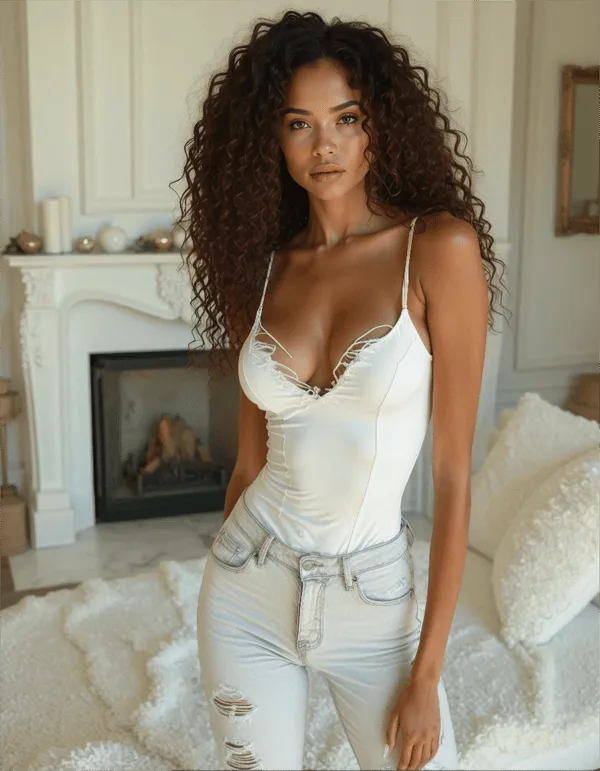
The Secrets AI video generator converts still companion images into short animated video clips via text prompt. You select an image, describe the movement or action you want, and the AI generates a video clip of that companion performing it.
Why this is notable: the overwhelming majority of AI companion platforms do not offer this. Character.AI has no video generation. CrushOn AI has no video generation. Janitor AI has no video generation. Candy AI has limited video capability — but Secrets AI's implementation is fuller and covers longer clip lengths. In the current AI companion market, Secrets AI's video generator is a genuine differentiator, not a marketing term.
Video is available on Lite tier and above — not on the free plan. The full-length clip option (up to 600 Moments) unlocks on Plus and higher tiers.
For platform context, see the full Secrets AI review.
How Video Generation Works
The process is straightforward:
Step 1: Generate a companion image or select an existing one from your character's image library. Video quality depends significantly on source image quality — use a clean, well-lit prompt for the source image.
Step 2: Open the video generation option from the image or the chat interface. Add a text prompt describing the desired movement, action, or scenario.
Step 3: Submit the request. The AI processes the video generation — this takes approximately 2 minutes per clip.
Step 4: The completed video clip is delivered in the interface. You can view it directly, save it, or use it as a basis for further prompts.
Videos are context-aware: they reflect the character's established appearance from the source image. The companion in the video is visually consistent with the character you've built — not a generic AI-generated figure.
Clip lengths:
- Short clips (Lite+): approximately 3 seconds
- Longer clips (Plus+): up to a minute or more depending on the generation model and prompt
Video Quality Assessment
Reviewer aggregate quality rating: 4.1/5 — consistent across multiple independent sources.
What that score reflects from documented testing:
- Smooth movement: character movement is generally fluid rather than jerky or disjointed
- Realistic expressions: facial expressions in most outputs match the described emotion or action
- Visual consistency: the character's appearance matches the source image — no significant visual drift between still and video
- Occasional quality variation: complex prompts or unusual movement requests produce more variable results
- Hand rendering: occasional glitches in hand movement, consistent with the same issue in static image generation
Quality improves with the Premium generation model (available on Premium and Ultimate tiers). If video quality is your primary use case, Premium tier gives you the best outputs alongside 8,000 Moments/month allocation.
Honest comparison: Secrets AI video quality is not cinematic. It is AI-generated short-clip quality that "looks good and moves smoothly most of the time" — accurate for the current generation of AI video tools. For an AI companion context, the quality is genuinely sufficient and distinctive. Competitors like Xotic AI offer 4K 15-second clips in a narrower use case.
How Much Do Videos Cost in Moments?
This is the number most new users underestimate:
| Clip Type | Moments Cost |
|---|---|
| Short clip (3 seconds) | ~50 Moments |
| Full/longer clip | ~600 Moments |
For reference on what those numbers mean by tier:
| Tier | Moments/Month | Short Clips/Month | Full Clips/Month |
|---|---|---|---|
| Lite ($5.99) | 1,000 | ~20 clips | ~1-2 clips |
| Plus ($9.99) | 3,000 | ~60 clips | ~5 clips |
| Premium ($19.99) | 8,000 | ~160 clips | ~13 clips |
| Ultimate ($39.99) | 15,000 | ~300 clips | ~25 clips |
The critical insight: a single full-length video clip costs 600 Moments. On Plus (3,000 Moments/month), 5 full videos consumes your entire monthly allocation with nothing left for images, voice, or text messages that cost Moments. Heavy video users genuinely need Premium or Ultimate — or should budget top-up purchases.
Top-ups are available separately from subscription: 1,980 Moments for $5.99 up to 118,800 Moments for $249.99 with discounts scaling to 30.4%. The pricing page has the complete top-up table.
Video vs Images vs Voice — Cost Comparison
| Feature | Cost (Moments) | Output |
|---|---|---|
| Text message | 1-2 | Text response |
| Manual memory save | 10 | Saved context |
| Image generation | 25-50 | Single static image |
| Short video (3s) | ~50 | Brief motion clip |
| Voice call | 100/minute | Real-time audio |
| Full video clip | ~600 | Longer motion clip |
The trade-off in practical terms: for 600 Moments (the cost of one full video clip), you could alternatively generate 12-24 images, or have 6 minutes of voice call, or have approximately 300-600 text exchanges. Video is the most Moments-intensive feature on the platform.
Strategic approach: use short clips (~50 Moments) to test the quality of a specific prompt before committing 600 Moments to a full-length version. This costs 50 Moments instead of 600 and validates the output direction before the full spend.
Tips for Better Video Results
Based on documented user experience and reviewer testing:
- Use high-quality source images. Video generation quality is directly dependent on the source image. Generate images with specific, clear prompts before converting to video — blurry or poorly composed source images produce lower-quality video.
- Keep prompts specific but not overcomplicated. "Walking slowly forward while smiling" produces better results than multi-step action sequences in a single prompt.
- Test with short clips first. At ~50 Moments per short clip, this is the cheapest way to validate output quality for a specific movement prompt before spending 600 Moments on a full clip.
- Use the Premium generation model. Premium and Ultimate subscribers can select the higher-tier generation model. The quality difference on video is noticeable.
- Generate images first, then convert the best. When you have multiple image options from a generation batch, select the highest-quality one as the source for video conversion — don't convert from a mediocre source.
Who Should Use the Video Generator?
Worth it if:
- Visual content from your AI companion is part of your desired experience
- You want to generate media you can save and revisit
- You're on Premium or Ultimate where the Moments allocation supports regular video use
- The distinctiveness of AI companion video is part of your reason for choosing Secrets AI
Not worth it if:
- You're on free or Lite — video is either unavailable or extremely limited on short clips only
- Your budget for Moments is tight and text + images cover your needs
- You primarily interact through conversation and don't value video output
- You're on Plus and want to spread Moments across images and voice as well
Best tier for video: Ultimate ($39.99/month) for heavy video creation (25+ full clips/month). Premium ($19.99/month) for moderate use (up to 13 full clips/month). Plus ($9.99/month) for occasional video (5 full clips/month maximum before Moments run out).
For full media access comparison across tiers, see the free vs premium breakdown.
Competitors with Video Generation
The competitive landscape on video is thin:
| Platform | Video Generation |
|---|---|
| Character.AI | No |
| CrushOn AI | No |
| Janitor AI | No |
| Candy AI | Limited |
| Replika | No |
| Secrets AI | Yes (full) |
| Xotic AI | Yes (4K, 15-sec clips) |
| SweetDream AI | Yes (limited) |
Among mainstream AI companion platforms, Secrets AI's video generation is either unique or meaningfully more capable than the limited implementations at comparable price points. Xotic AI offers higher-resolution clips but in a more specialized product context.
If video generation is the reason you're evaluating Secrets AI, no widely available alternative in the same price range matches it. This is the feature that makes staying with Secrets AI the recommendation for video-focused users even when they're frustrated by Moments costs or other limitations.
FAQ
Short clips available on Lite tier are approximately 3 seconds. Full-length clips available on Plus tier and above are longer — up to a minute or more depending on generation model and prompt complexity. Short clips cost approximately 50 Moments; full clips cost up to 600 Moments per video. The exact maximum length is not publicly documented with a specific second count, but the quality step between short and full clips is significant.
No. Video generation requires a paid subscription (Lite or above). Free accounts can browse characters and have text conversations, but all media generation features — images, video, and voice calls — are locked behind paid tiers. The 200 starting Moments on free cannot be used for video generation even if you have a balance.
It depends entirely on your tier and whether you're making short or full clips. On Plus (3,000 Moments): approximately 60 short clips or 5 full clips per month. On Premium (8,000 Moments): approximately 160 short clips or 13 full clips. On Ultimate (15,000 Moments): approximately 300 short clips or 25 full clips. These numbers assume Moments are used exclusively for video — any mix with images or voice reduces the video count. If you need more, Moments top-ups are available starting at $5.99.
Quality is rated 4.1/5 by independent reviewers — described as "looking good and moving smoothly most of the time." Character movement is generally fluid and facial expressions match the described action in most outputs. Occasional quality variation occurs on complex prompts. Hand rendering is the most common quality issue, mirroring the same limitation in static image generation. Premium generation models produce better results than standard ones.